Selling fast!
Get yours while you can.
Your cart is empty :(
Continue shoppingYour cart
Estimated total:
£0.00 GBP
Brand: The Cargo Bay
Couldn't load pickup availability
Secure your shopping experience with various safe and trusted payment methods.
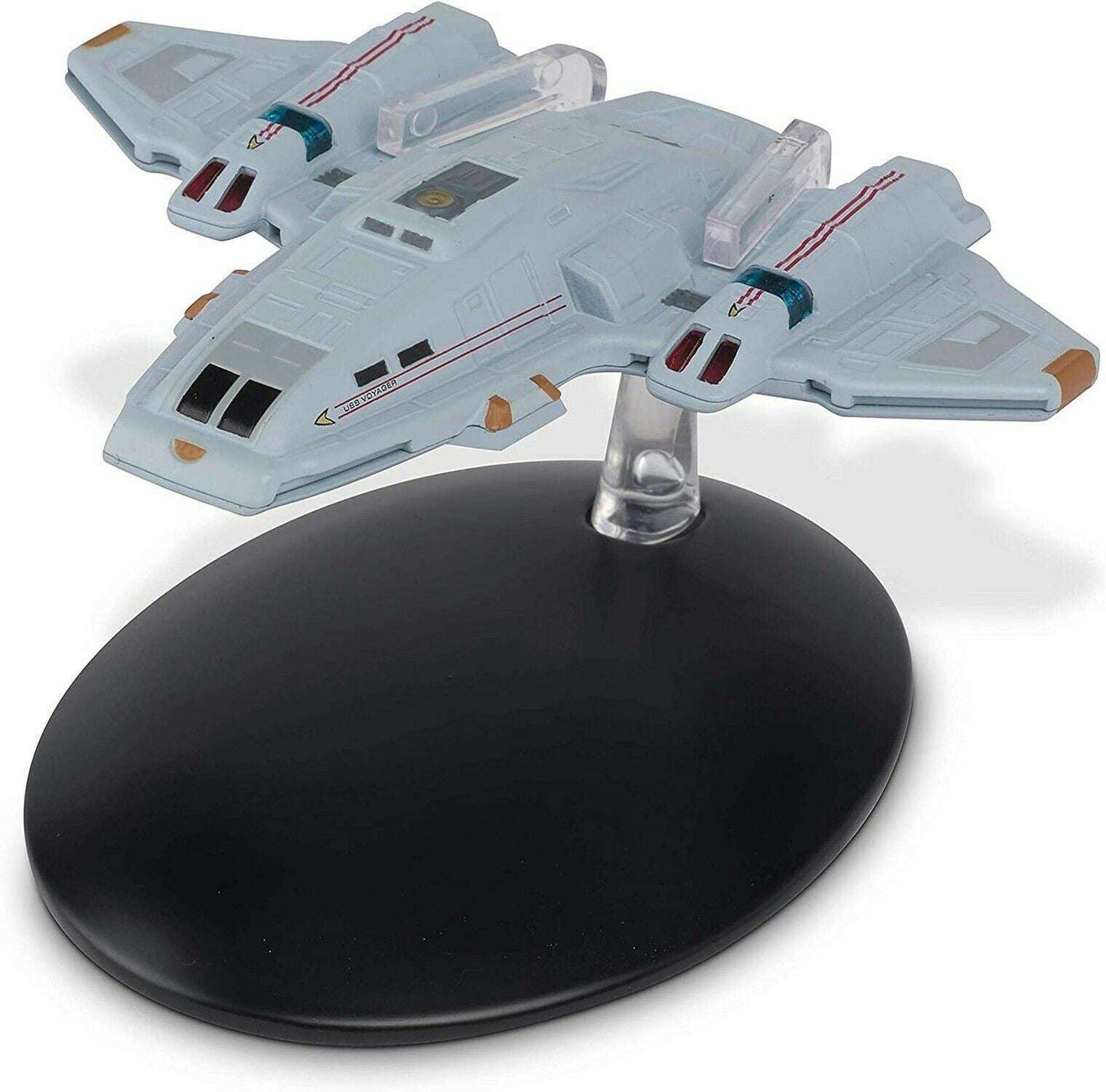
You might not know about the Aeroshuttle, even though it appeared in every episode of Star Trek: Voyager! This was the starship Captain's Yacht and was docked with the underside of Voyager's saucer. It was there but never deployed. The ship was designed by Rick Sternbach and was built at Foundation Imaging, which suggested using it instead of the Delta Flyer.

At our Shopify store, we prioritize your safety and security. Here's how we ensure a secure shopping experience:
1. Secure Transactions: We use advanced encryption to protect your personal and payment information, ensuring it is safely transmitted and safeguarded.
2. Trusted Payment Gateways: Our store integrates with trusted payment gateways, ensuring your transactions are processed securely and efficiently.
3. Data Privacy: Your privacy is our top priority. We follow strict data protection policies to keep your personal information confidential and secure.
4. Secure Platform: Shopify provides robust security features and continuous monitoring against vulnerabilities, ensuring a safe shopping environment.
5. Verified Merchants: We are a verified merchant on Shopify, committed to providing authentic and high-quality products.
6. Transparent Policies: Our clear return, refund, and shipping policies provide peace of mind, knowing we stand behind our products.
7. Customer Support: Our dedicated customer support team is ready to assist with any concerns or questions you may have.
Shop confidently at our Shopify store, where your safety and satisfaction are our top priorities.
£14.99
Selling fast!
Get yours while you can.
Want to hear about the latest products landing in
The Cargo Bay?
Sign up for our newsletter to receive updates and communications about our galaxy-class products!
You have copied the placement for the Product Page.
Go back to the App Embeds section, and in the Paypal Advanced Settings, paste the copied value into the Product Page field and click the 'Save' button in the top right corner.